
(Positioning)
(ブロック崩しゲーム)
(Learn how to move your sprites in game.)
LEVEL

ENVIRONMENT
Scratch
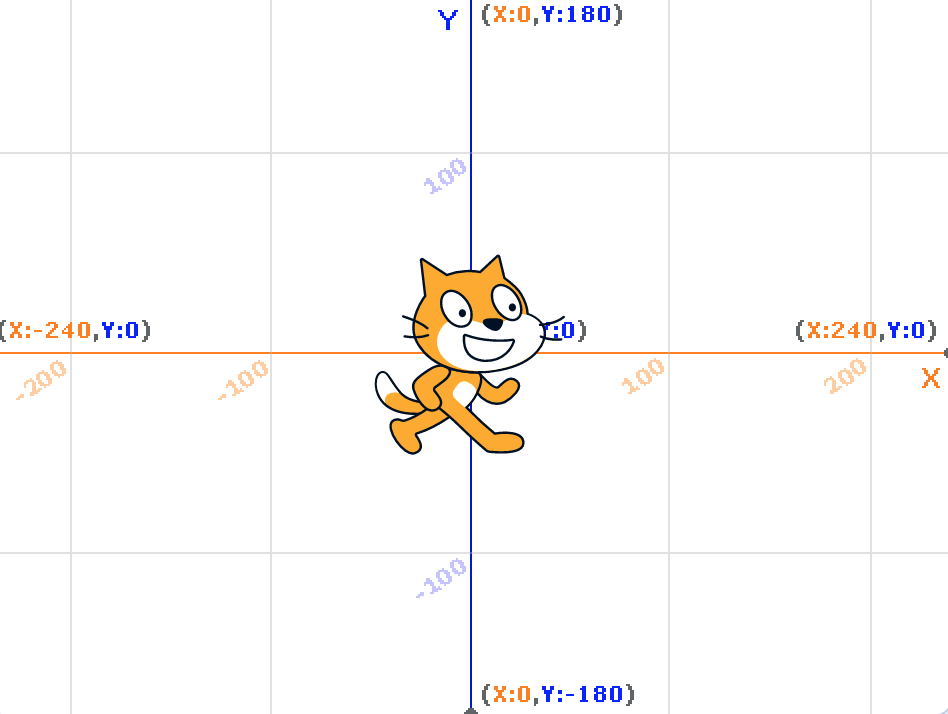

Coordination (x, y)
There are two indicators to indicate positions: x and y.
Each sprite has its own x and y.
If x gets higher, it goes right. If x goes lower, it goes left.
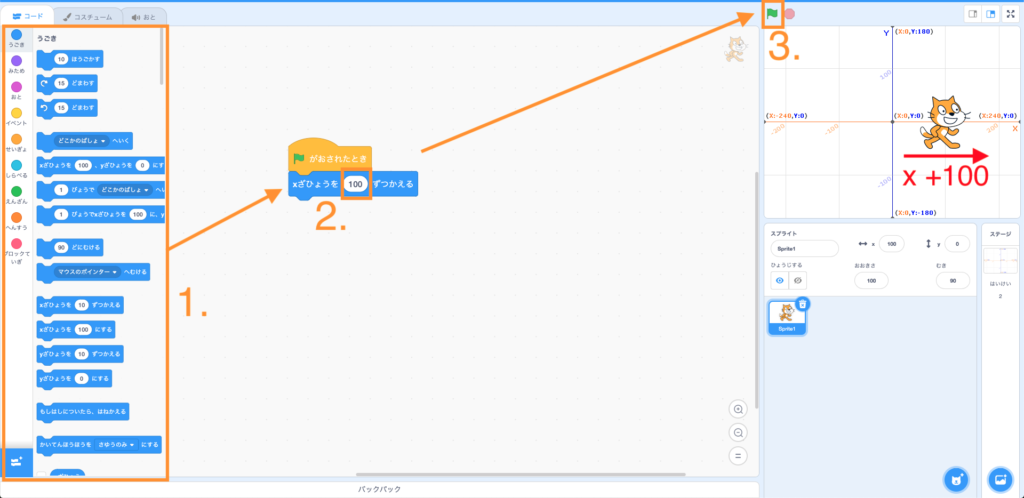
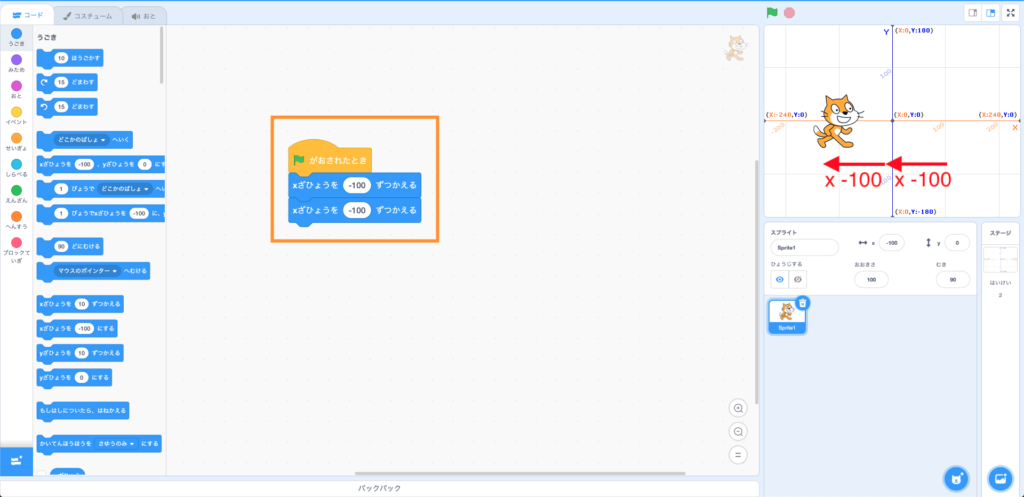
If y gets higher, it goes up. If y goes lower, it goes down.
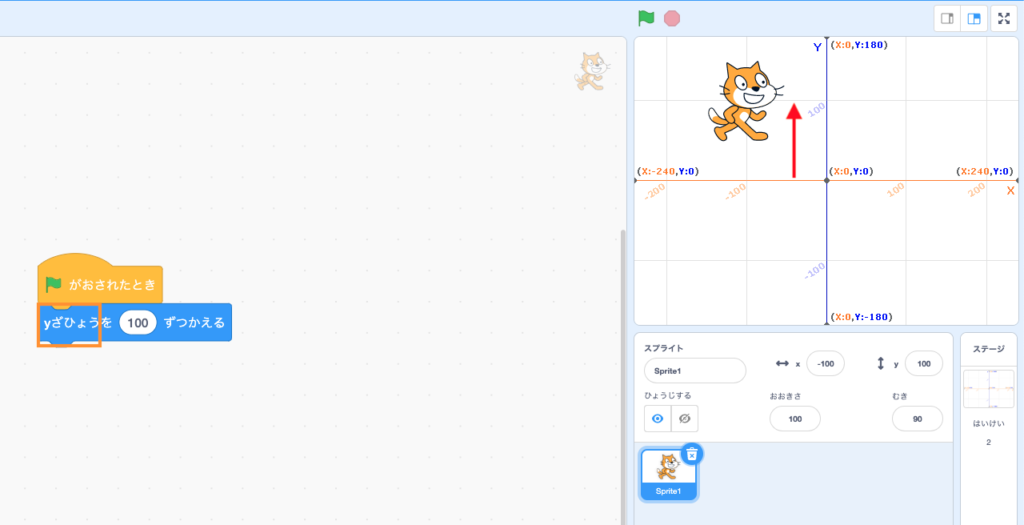
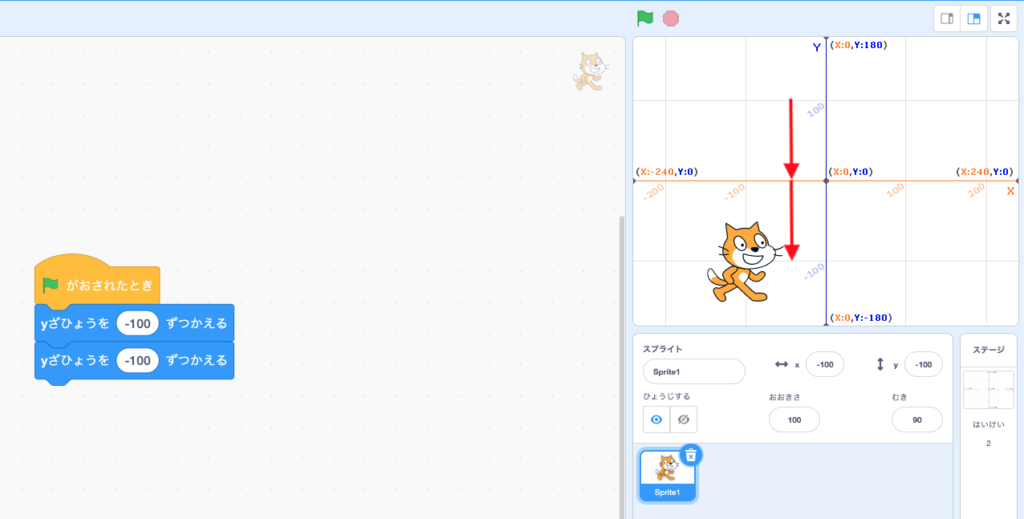
The red boxes below shows your current sprite’s x and y coordination.

So in this case, your cat’s location (x, y) is (-100, -100).

Movement
The first way to move a sprite is to add(+) or minus(-) onto a sprite’s x or y value.
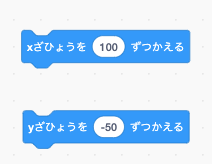
You can imagine as someone telling you to “walk 10 meters to your right from where you are” or “go 25 meters backward”.
Note that you can only go in straight line.
(Please refer to the previous section 1.1, 1.2)
Another way is to set a direct location to the sprite.
You can use the following codes to set your sprite’s location.
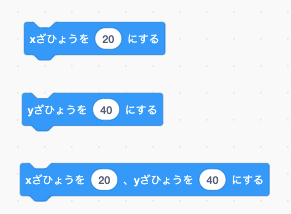
In this case you can imagine that someone is telling you to “Teleport yourself instantly to Exit 2 of Nagoya station”, no matter where you are now.
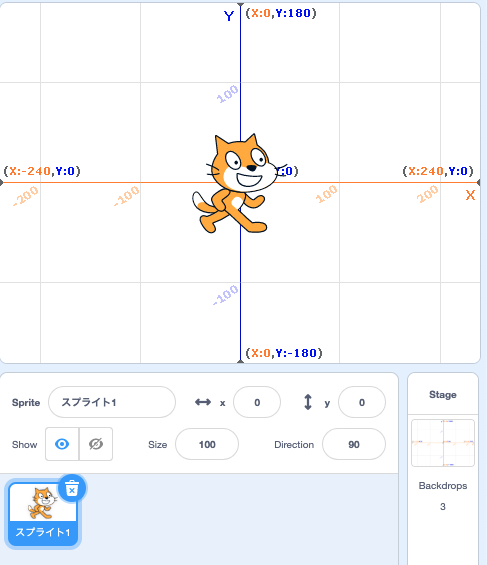
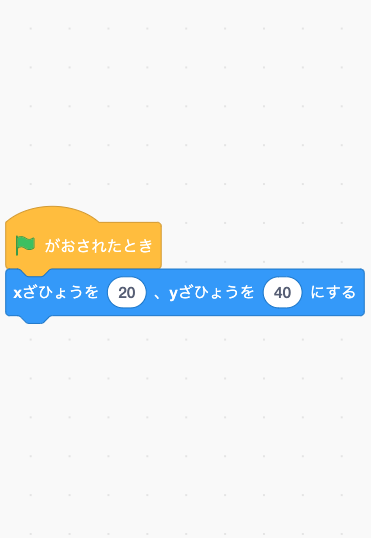

Another way is to glide to a specific (x, y) location.

This is same as someone is telling you to “Fly to Exit C of Nagoya station within 1 second”, no matter where you are now.
This is exact same as the previous code we have mentioned, except we can see its movement with this code.
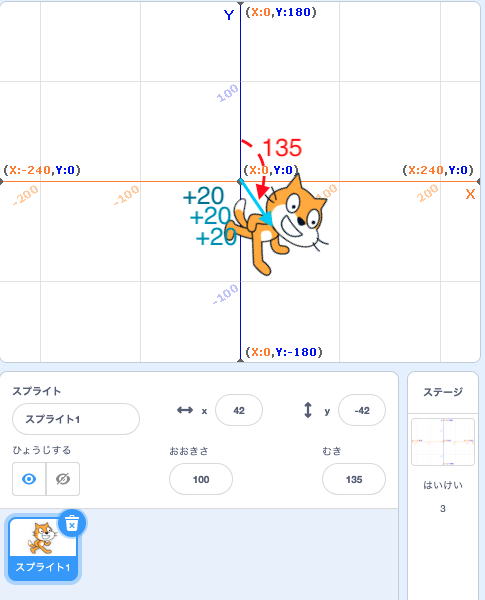
The last way is to move by steps.

This is same as someone telling you to “Walk 10 steps from where you are” but without telling you which direction you should move towards to.
In the next section (3.2, 3.3) we will talk about how to set up a sprite’s direction.

Direction
One way to change a sprite’s direction is to turn at a certain degree.
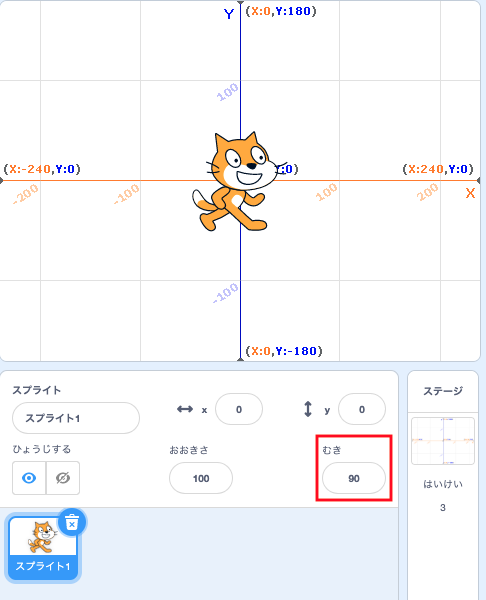
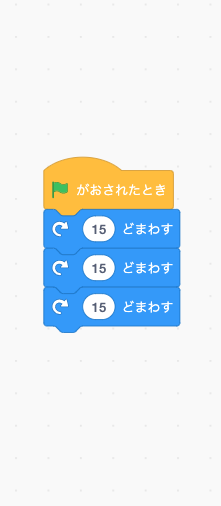


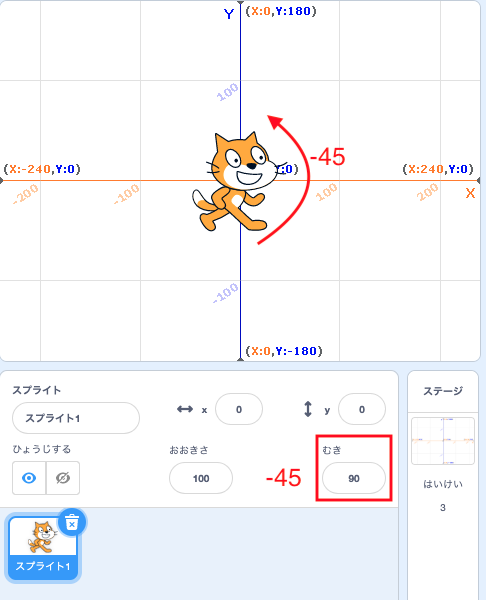
The other way is to point towards a specific degree.


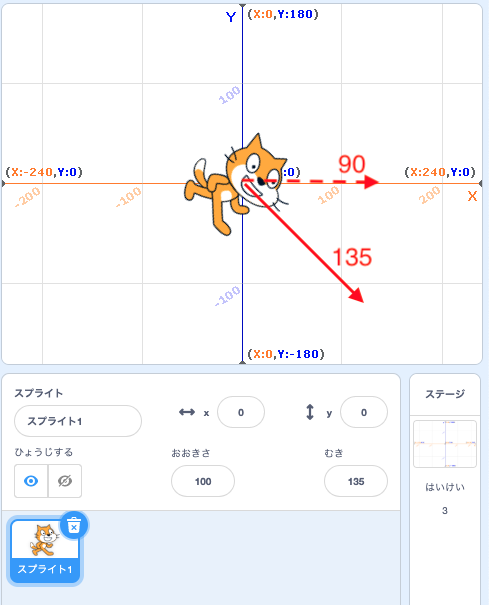
Now we can move using move by steps code with direction.



Try it yourself!
Open a new project. Switch your stage to “Pool” as shown:

1. Try to move the cat out of the water.
2. Once you finished, move the cat back into the water.
1.
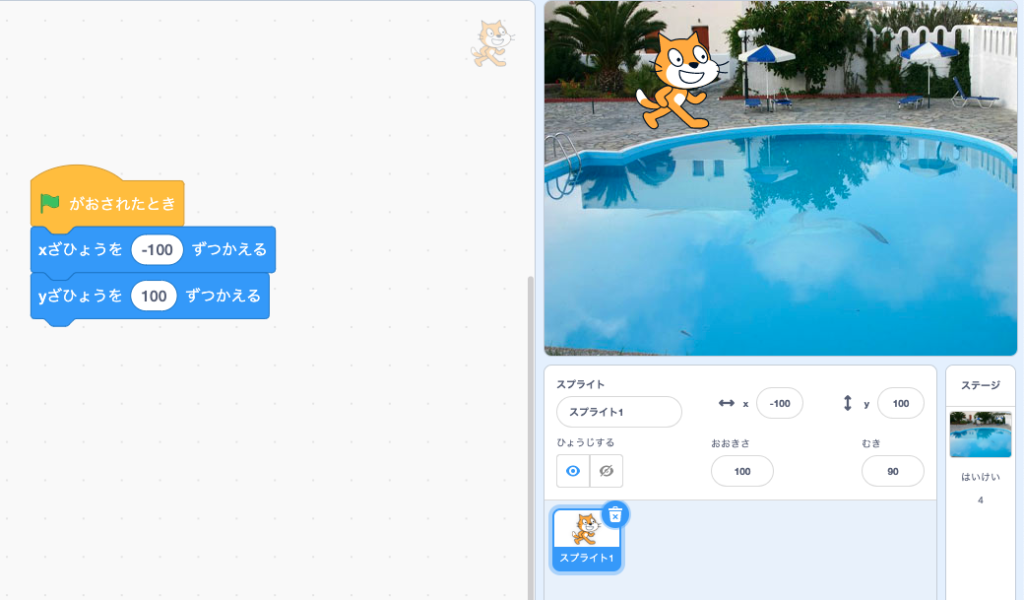
2.
